
Music player
recorder & smart appsMusic & Audio
4.722.53K Reviews
- Version
- 246.02
- Installs
- 100.00M
- Age Rating
- Everyone
Screenshots
Our Review of Music player
 Analysis by Appyee
I usually judge a music player by a simple test: can I get to the track I want, make it sound comfortable on my headphones, and keep listening without a lot of setup? Music Player is a free music and audio app from recorder & smart apps, aimed at people who want to play music stored on their device rather than start with a streaming catalog. Its tools for editing tags and trimming audio also give it a practical role beyond playback, especially if your files need a little organizing before they feel at home in a library.
What you get without paying
The app is free to download, with in-app purchases listed at $5.99 per item. That makes it easy to try the core experience before deciding whether any paid option is worthwhile. I would treat the purchase detail as a reason to check what is offered inside the app before buying, rather than assume every useful tool requires payment or that a purchase is essential for ordinary listening.
It is rated for Everyone, and it runs on Android 5.0 or later. The current version is 235.01. Those details make it a plausible choice for a range of Android phones, including older devices that still meet the minimum requirement. The app was released on July 26, 2018, and its reach is substantial: it has over 100 million installs, a 4.7 average from around two million ratings, and about 22,000 written reviews.
Where its everyday value comes from
The strongest case for this player is straightforward: it brings local music playback and a few useful audio-management jobs together. If you already keep MP3s or other music files on your phone, you can use a dedicated player instead of relying on a streaming app whose main purpose is browsing a subscription catalog. The built-in tag editor can help when a track has the wrong title or artist, while the audio cutter is handy for making a shorter clip from a longer recording.
That combination can save small but irritating bits of time. For example, if a batch of downloaded tracks appears under inconsistent names, fixing the tags before making a playlist can make the library easier to browse later. I would edit a copy or keep the original file where possible, particularly when trimming something I might want in full. These tools are most valuable when you actually manage audio files; if your listening is entirely through online streaming, they may rarely enter your routine.
How it fits beside other music apps
Compared with a streaming service, a local player has a different job. It is useful for music you already have, and it does not replace a service built around discovering a large online catalog. If you want recommendations, cloud libraries, or a subscription’s on-demand collection, a streaming app is the more natural fit. If you want to play personal files and make basic edits, a focused player can be less distracting.
It also sits between a bare-bones file player and a full audio workstation. The tag editor and cutter add practical control without turning the app into a complicated editing suite. That is a good trade if your needs are occasional and modest; it is not the right tool for detailed multitrack production or careful mastering. I would choose software designed for those jobs rather than expect a phone music player to cover them.
A sensible way to try it
When setting up a local library, I’d start with a small group of familiar tracks rather than importing everything at once. Check that the titles and artist names look right, then try playback with the headphones or speaker you normally use. This makes it easier to spot whether the library organization suits you before spending time tidying a large collection. If a file is mislabeled, the tag editor gives you a direct place to correct it; if you want only a portion of a recording, the cutter may be more useful than keeping several nearly identical files.
A realistic use case is a commute where mobile reception is unreliable. A set of music files already on your phone can still be available for listening, and a playlist can keep a chosen sequence together. Another is preparing a few audio clips for a personal project: trim what you need, give the file a clear name, and keep the full recording separately. I would not rely on an edited clip as the only copy of something important, because trimming is a change to the audio file rather than a substitute for an archive.
Who is likely to get the most from it?
I’d consider this app if you have a personal collection, want a straightforward way to play it, or occasionally need to fix track information and cut audio. It may also suit someone moving away from a streaming-first routine who wants a player centered on files already stored locally. With a 4.7 average and a large audience, it is clearly a popular option, though ratings cannot tell you whether its interface or workflow will match your own habits.
On the other hand, I would skip it if your main priority is finding new releases through a curated online catalog, syncing a listening history across services, or doing precise audio production. It is also worth considering how much local music you actually keep. If you have only a handful of files and already use a player you like, installing another app may add little value. The practical question is not whether it has many tools, but whether its file-focused approach solves a problem you encounter.
One useful decision before installing is to think about where your music lives. If your tracks are already accessible on the phone, a local player is a natural match. If they sit in a cloud service or exist only in a streaming catalog, this app’s central strength may not address your main need. Likewise, someone who edits audio only once in a while can appreciate the cutter without treating it as a reason to abandon a dedicated editing app for more involved work.
What to keep in mind while using it
A few expectations are worth keeping realistic. File playback depends on having music available to the player, so this is not a way to obtain a streaming catalog. Editing tags also takes a little care: consistent artist and title fields make a library easier to scan, but changing metadata can be tedious if a collection is large. I’d handle a few albums at a time and check the results rather than trying to clean everything in one sitting.
Audio trimming is useful for a quick cut, but it is not the same as a full editing workflow. If timing, fades, or detailed control matter for a particular project, a dedicated audio editor is likely a better choice. The same principle applies to listening: a local player can be convenient and focused, while a streaming service is better when discovery and access to a broad online catalog are the priority. Choosing between them depends on the source of your music, not on which app claims to do everything.
The free entry point lowers the risk of trying it, while the listed in-app purchases mean I would inspect the specific option and its purpose before paying. I would not make a purchase just because it is available; first, see whether the free experience already covers your regular listening and file-management needs. That is the clearest way to judge its value without assuming a paid feature is necessary.
My verdict for daily listening
After weighing its intended role, I see this as a practical local music player with extra tools that are genuinely useful when your files need attention. Its best value is not a promise to replace every music service; it is the convenience of keeping playback, tag cleanup, and simple trimming in one place. For a person who already owns or stores music on a phone, that can be enough to make the app worth trying.
If you mostly stream and rarely touch audio files, I would choose the streaming app that already fits your routine instead. If you want an easy way to listen to local tracks and occasionally tidy them up, this is a reasonable free starting point. The app’s popularity offers some reassurance that many people use it, but my recommendation is based on fit: try it for your own library, and consider paying only if a clearly identified in-app option solves a need you actually have.
For me, the deciding point is whether file ownership and simple maintenance matter in everyday use. When they do, a player that can handle listening and small cleanup tasks is more useful than a stripped-down playback tool. When they do not, extra editing functions are just clutter. I’d install it for a local collection, test the playback and tag workflow with a few tracks, and keep it only if it makes that collection easier to enjoy.
First impressions
Right off the bat, the Music Player app greets you with a sleek and modern interface. It’s like walking into a virtual concert hall. The design is intuitive, making it easy to find your way around, even if you’re not super tech-savvy. Everything is organized where you’d expect it to be, which is a big plus in my book.
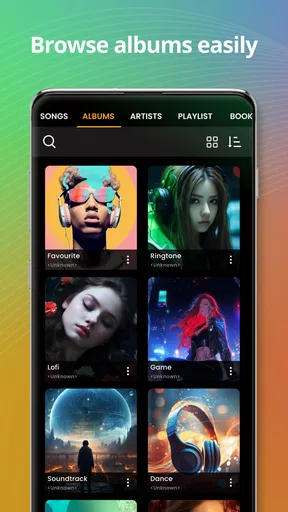
The app offers a quick setup process. You can get your library sorted in no time, and it supports a bunch of formats, so you don’t have to worry about compatibility issues. I love that it also pulls in album art and metadata, giving you that complete music experience.
Features that stand out
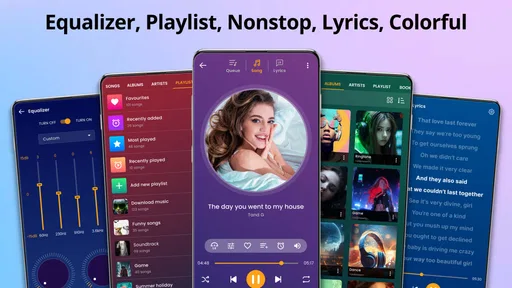
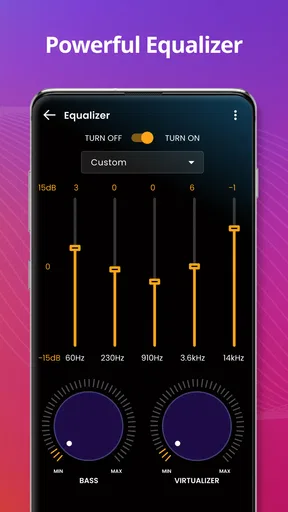
Let’s talk features because this app packs a punch. First, the equalizer: it’s got a full range of presets for every genre you can think of, and if you’re feeling adventurous, you can create your own custom settings. This is music to my ears, literally!
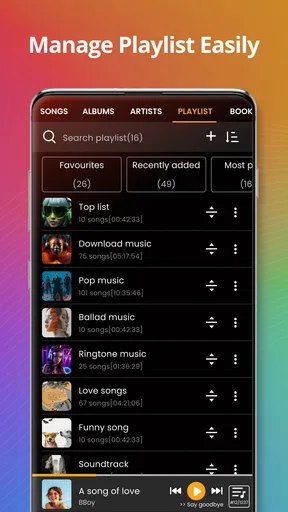
Another cool feature is the playlist manager. It lets you create and manage playlists with ease. Whether you’re curating for a workout session or a chill evening, the app makes it seamless. And guess what? You can even share your playlists with friends, which is a neat touch.
The app also includes a sleep timer, which is perfect for those who like to drift off to music. Set it up, and the app gently fades out your tunes when it’s time to catch some Z’s. It’s the little details like this that make a big difference.
Sound quality and performance
Now, let’s get to the heart of the matter: sound quality. The Music Player app doesn’t disappoint. The audio is crisp and clear, with a depth that makes you feel like you’re right there in the studio. Whether you’re using high-end headphones or basic earbuds, the sound quality remains top-notch.
Performance-wise, the app runs smoothly without any noticeable lags or crashes. It’s light on resources, so it doesn’t bog down your device, which is a huge relief. I’ve tried it on both Android and iOS, and it performs consistently well on both platforms.
User experience
One of the things I appreciate the most is how user-friendly this app is. The developers clearly put a lot of thought into making it accessible for everyone. You don’t have to jump through hoops to get the most out of it—everything is straightforward and easy to navigate.
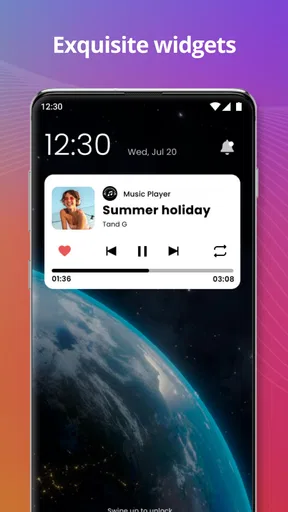
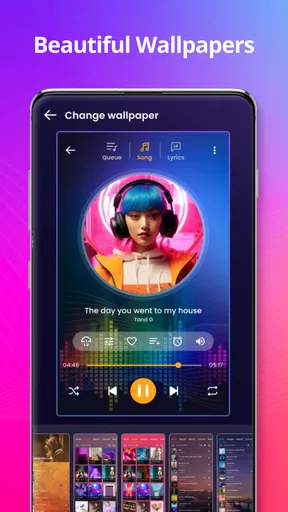
Customization is another strong suit. From themes to widgets, you can tweak the app’s appearance to match your style. It’s like having a personalized DJ at your fingertips, always ready to adapt to your mood.
Final thoughts
In a world crowded with music apps, the Music Player app really stands out. Its combination of style, functionality, and quality makes it a must-try for any music enthusiast. Whether you’re a casual listener or a hardcore audiophile, this app has something to offer.
So, if you’re in the market for a new music app, give this one a spin. It might just become your favorite way to listen to music on the go. Happy listening!
Verdict
Strengths of Music player
- User-friendly interface for easy navigation.
- Supports a wide range of audio formats.
- Customizable equalizer settings.
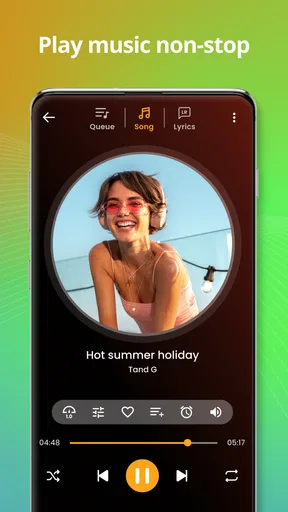
- Offline playback for downloaded songs.
- Minimal battery consumption during use.
Limitations of Music player
- Contains in-app ads that can be intrusive.
- Lacks advanced playlist management features.
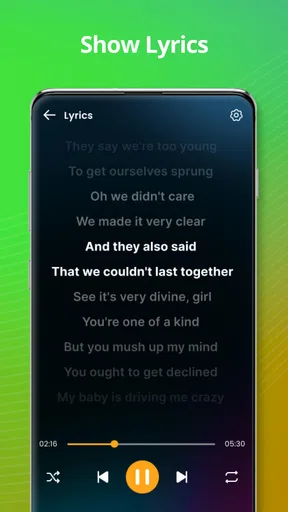
- No lyrics support for all songs.
- Limited integration with streaming services.
- Occasional bugs in the search feature.
Similar Picks in This Category
View All
YouTube Music
Google LLC4.4

Samsung Music
Samsung Electronics Co., Ltd.3.8

Spotify: Music and Podcasts
Spotify AB4.3

JioSaavn - Music & Podcasts
Saavn Media Limited4.3

Lark Player:Music Player & MP3
Lark Player Studio - Music, MP3 & Video Player4.6

StarMaker: Sing Karaoke Songs
SKYWORK AI PTE. LTD.4.3
Frequently Asked Questions
Is the Music Player app compatible with all audio file formats?
Yes, the Music Player app supports a wide range of audio file formats, including MP3, AAC, FLAC, and WAV. However, some less common formats might not be supported. It's always a good idea to check the app's specifications or user manual for a comprehensive list of compatible formats.
Does the Music Player app offer offline playback?
Absolutely, the Music Player app allows for offline playback. Users can download their favorite tracks to their device and listen without an internet connection. This feature is perfect for saving on data usage and enjoying music while traveling or in areas with poor connectivity.
Can I create and manage playlists within the Music Player app?
Yes, the app provides users with robust playlist management features. You can create, edit, and organize playlists easily. The interface is intuitive, allowing you to add or remove songs, reorder tracks, and even share playlists with friends via social media or messaging apps.
Does the Music Player app include an equalizer?
The Music Player app features a built-in equalizer with multiple presets to enhance your listening experience. Users can also customize the equalizer settings to suit their personal preferences, adjusting bass, treble, and other sound parameters for optimal audio quality.
Are there any ads in the Music Player app?
The free version of the Music Player app does include ads, which help support development and maintenance costs. However, users can opt for a premium version that offers an ad-free experience, along with additional features such as advanced audio settings and exclusive themes.
